Quick answer: who owns the work decides the model
Co-managed IT vs fully managed IT for a business with one IT person: a who-does-what matrix, real cost math and a 30-day plan for VA, MD and DC offices.
If you have one capable IT person, co-managed usually fits best
Fully managed IT hands your entire IT function to a managed service provider (MSP). Co-managed IT keeps your in-house IT person in charge and adds an MSP for the jobs one person cannot cover, such as after-hours monitoring, security tooling, backups and overflow tickets. Use the five-question test, the responsibility matrix and the cost table below to decide, then follow the 30-day plan to put the split in writing.
Co-managed IT vs fully managed IT at a glance
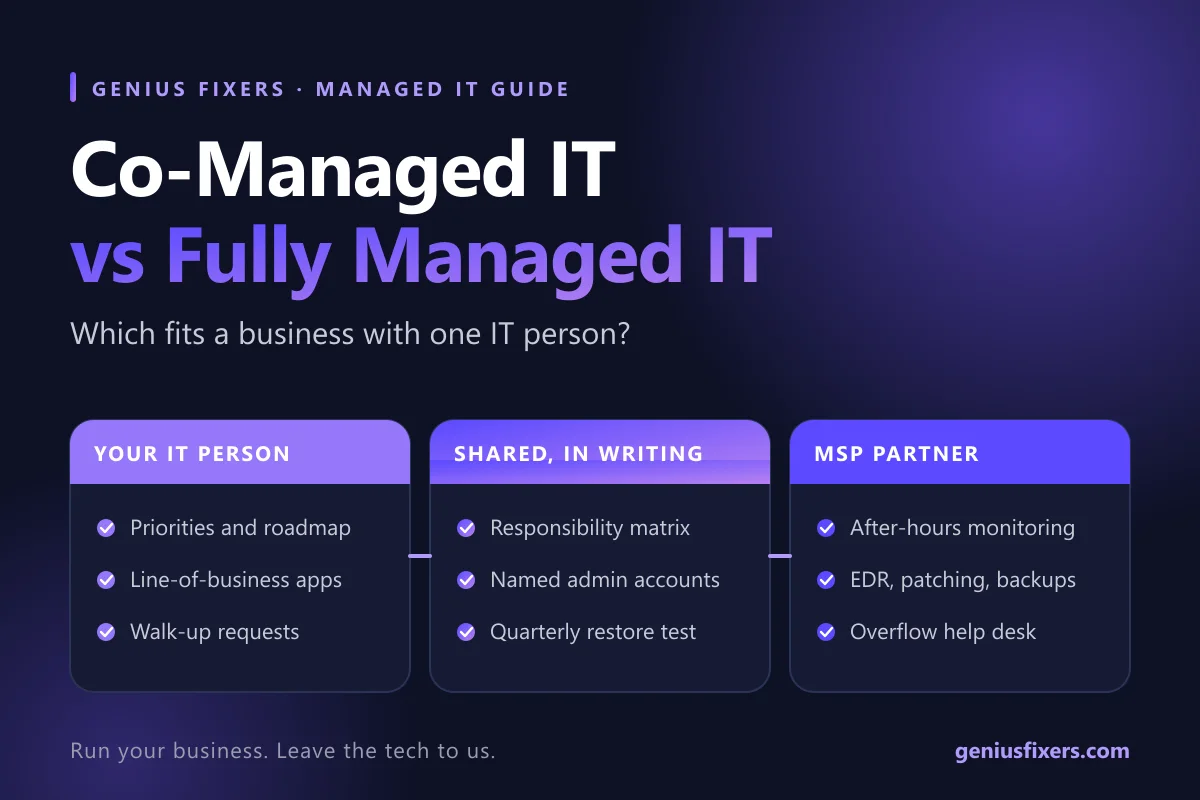
Both models use the same kind of partner. What changes is the split of ownership. With fully managed IT, the provider runs everything and your staff call the provider. With co-managed IT services, your IT person stays the lead and the provider fills defined gaps under a written agreement.
| Question | Fully managed IT | Co-managed IT |
|---|---|---|
| Who staff call first | The provider's help desk | Your IT person, with the provider as backup or overflow |
| Who decides priorities | The provider, within the contract | Your IT person |
| Who holds the admin accounts | Provider, with owner access kept by you | Both, each with named accounts |
| Best fit | No IT staff, or an office manager doing IT on the side | One to three IT staff who are stretched |
| Main risk | Less in-house knowledge of your systems | Gaps or overlaps if the split is not written down |
The one-IT-person test: five questions
Many businesses with 15 to 100 employees have one person who "does IT." Answer these questions about that person and the right model usually becomes clear.
- Is IT their main job? If your IT person is also the office manager or controller, fully managed IT frees them to do the job they were hired for. If IT is their full-time role, co-managed builds on that investment.
- Who covers when they are out? A two-week vacation or a sick day should not stop password resets. If the honest answer is "nobody," you need a partner either way.
- Who watches alerts at 2 a.m.? Attacks do not wait for business hours. If no one sees an endpoint alert overnight, add monitoring.
- Is the ticket queue growing? If routine requests crowd out projects such as a Microsoft 365 cleanup or a server retirement, offload the routine work.
- Could someone else log in tomorrow? If passwords, network diagrams and vendor contacts live only in one head, document them before you choose any model.
Mostly "yes, IT is their full-time job" plus "no coverage after hours" points to co-managed. Mostly "IT is a side duty" points to fully managed. Our guide on when a business should outsource IT covers the zero-IT-staff case in more depth.
Who does what: a sample responsibility matrix
Most comparison articles stop at definitions. The part that makes co-managed IT work is a written split of tasks. CISA calls this a shared responsibility model and recommends that MSP customers spell out the vendor's duties, their own duties and any shared duties before signing. Use this matrix as a starting draft.
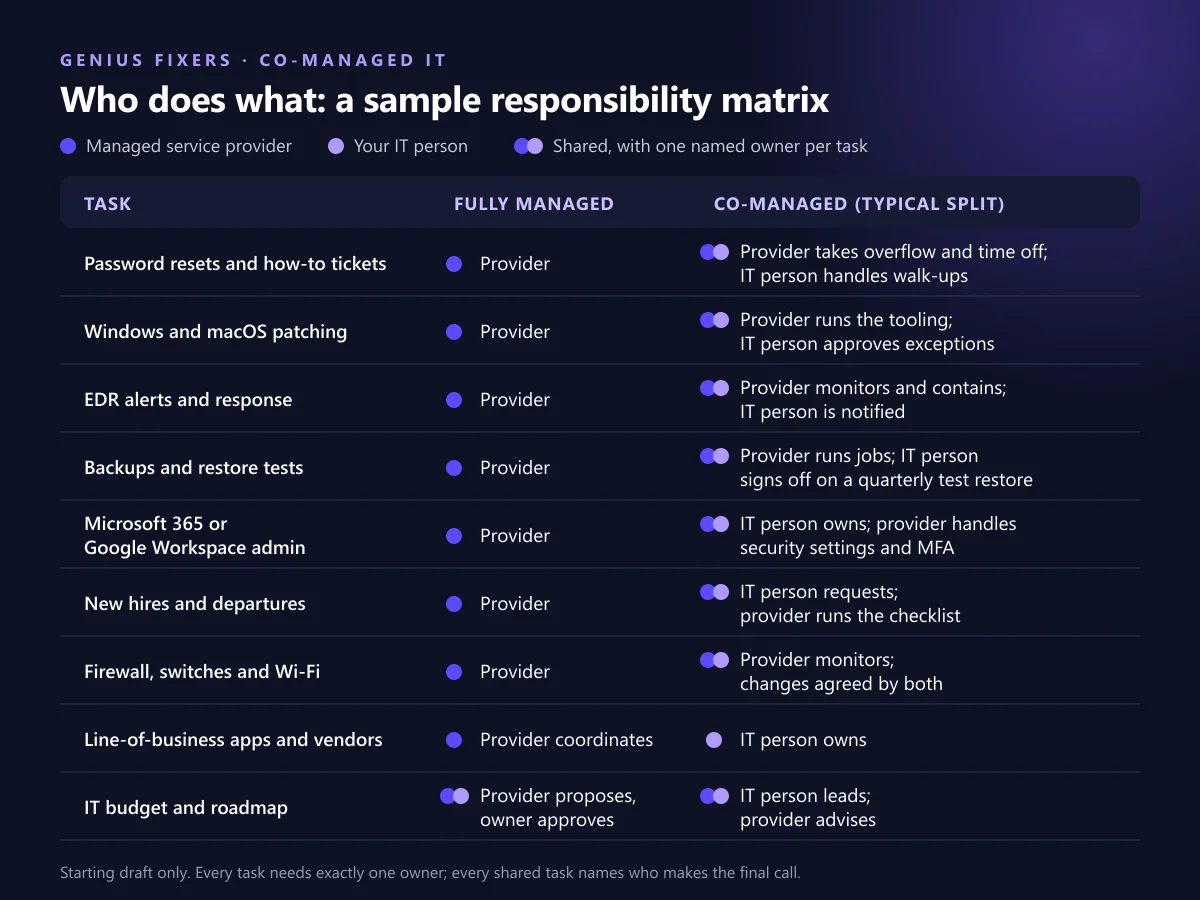
| Task | Fully managed | Co-managed (typical split) |
|---|---|---|
| Password resets and how-to tickets | Provider | Provider takes overflow and time off; IT person handles walk-ups |
| Windows and macOS patching | Provider | Provider runs the tooling; IT person approves exceptions |
| EDR alerts and response | Provider | Provider monitors and contains; IT person is notified |
| Backups and restore tests | Provider | Provider runs jobs; IT person signs off on a quarterly test restore |
| Microsoft 365 or Google Workspace admin | Provider | IT person owns; provider handles security settings and MFA |
| New hires and departures | Provider | IT person requests; provider runs the checklist |
| Firewall, switches and Wi-Fi | Provider | Provider monitors; changes agreed by both |
| Line-of-business apps and vendors | Provider coordinates | IT person owns |
| IT budget and roadmap | Provider proposes, owner approves | IT person leads; provider advises |
The right column is where most co-managed setups succeed or fail. Two rules keep it clean: every task has exactly one owner, and every shared task names who makes the final call. Partners usually add value fastest on tooling one person cannot run alone, such as managed endpoint detection and response and network monitoring and management.
What each model costs: the math for a 10-person office
The U.S. Bureau of Labor Statistics reports a median annual wage of $99,130 for network and computer systems administrators (May 2025). That is wage only, before benefits, payroll taxes, training and tools. Compare that with a fully managed plan priced per workstation.
| Option | How it is priced | Annual cost |
|---|---|---|
| One in-house admin, no partner | BLS median wage, before benefits | $99,130+ |
| Fully managed, Genius Fixers Core IT | 10 × $125 per workstation per month | $15,000 |
| Fully managed, Genius Fixers Complete IT | 10 × $150 per workstation per month | $18,000 |
| Co-managed | Your IT person plus a scoped partner agreement | Wage + quoted scope |
At 10 seats, a full-time hire rarely makes financial sense unless IT work is part of a bigger role. At 60 to 150 seats, the math flips: an in-house person who knows your systems is worth keeping, and co-managed adds coverage without a second hire. For a quick estimate for your own headcount, try our IT cost calculator or compare plans on the managed IT pricing page.
Access rules for any MSP relationship
Whichever model you pick, a provider holds powerful access to your systems. CISA's guidance for MSP customers and Microsoft's partner access model point to the same safeguards:
- Named accounts only. Every provider technician gets an individual account. No shared "admin" logins.
- Least privilege. CISA advises giving MSPs only the minimum rights for the shortest necessary time, limited to the systems they manage.
- Use GDAP in Microsoft 365. Granular Delegated Admin Privileges let you grant a partner specific, time-bound roles instead of Global Administrator. Microsoft caps a GDAP relationship at two years, and you can remove it at any time.
- MFA on every admin login. Require multi-factor authentication for both your staff and the provider's technicians.
- You keep the logs. CISA recommends customers have direct access to security logs from systems the MSP manages.
- Write the exit plan now. The contract should state how credentials, documentation and backups come back to you if the relationship ends.
A 30-day plan to start co-managed IT
- Days 1–5: Document. Your IT person lists systems, admin accounts, vendors, licenses and recurring tasks. This list feeds the responsibility matrix.
- Days 6–10: Agree the split. Fill in the matrix together, then put scope, response targets and pricing in writing.
- Days 11–20: Connect tools. The provider deploys monitoring, EDR and backup agents. Set up named accounts, GDAP roles and MFA.
- Days 21–25: Route tickets. Decide which requests go to the provider's help desk support and which stay in-house. Tell staff once, in writing.
- Days 26–30: Test. Run one test restore, one simulated after-hours alert and one new-hire setup with the onboarding and offboarding checklist. Fix any handoff that stalled.
When to move from co-managed to fully managed
Co-managed IT is not permanent by design. Switch to fully managed when your IT person leaves and you do not plan to rehire, when their role shifts to operations or finance, or when the provider is already doing most of the tickets. Switch the other way when you hire an IT lead who wants hands-on control. Because the matrix already lists every task, either change becomes a column edit, not a rebuild.
How Genius Fixers supports both models in Virginia, Maryland and DC
We work from our office in Manassas with businesses across Northern Virginia, Maryland and Washington, DC. For offices without IT staff we run fully managed IT services on our Core IT ($125 per workstation per month) or Complete IT ($150) plans. For teams with an IT person we scope a co-managed agreement around the gaps, as we do for hospitals that keep internal IT teams. On-site visits are $65 within 50 miles of Manassas, and pay-as-you-go work is $150 per hour.
Not sure which model fits your team?
Book a free 10-minute call and we will walk through the responsibility matrix with you, Monday to Friday, 8 a.m. to 5 p.m. ET.
Call 703-419-9000 or 1-800-949-6592 to discuss your plan.
Frequently asked questions
What is co-managed IT?
Co-managed IT is a partnership where your in-house IT staff keep control and a managed service provider handles agreed tasks, such as monitoring, security tools, backups or overflow tickets. A written responsibility matrix defines who owns each task.
What is the main difference between co-managed IT and fully managed IT?
With fully managed IT, the provider runs your entire IT function. With co-managed IT, your own IT person stays in charge and the provider fills specific gaps.
Is co-managed IT cheaper than fully managed IT?
Not always. Co-managed IT keeps the cost of your in-house IT person and adds a smaller partner agreement, so it costs more in total than fully managed IT for small offices. It pays off when you already employ a capable IT person and want to extend their coverage instead of hiring a second one.
Does co-managed IT replace my IT person?
No. Co-managed IT is built around your IT person. The provider takes on after-hours monitoring, security tooling and routine tickets so that person can focus on projects and business systems.
Who should hold the admin passwords in a co-managed setup?
Your business should always own the top-level admin accounts. Give the provider named accounts with only the roles they need, protected by MFA, and in Microsoft 365 use Granular Delegated Admin Privileges (GDAP) rather than Global Administrator.
Can we switch from co-managed to fully managed IT later?
Yes. If your IT person leaves or changes roles, the provider can take over the tasks in their column of the responsibility matrix. Keeping documentation current makes that switch quick.
Does Genius Fixers offer co-managed IT outside Virginia?
Genius Fixers provides managed and co-managed IT to businesses in Virginia, Maryland and Washington, DC. On-site visits cost $65 within 50 miles of the Manassas office.
Sources
- CISA Insights: Risk Considerations for Managed Service Provider Customers
- Microsoft Learn: Introduction to granular delegated admin privileges (GDAP)
- Microsoft Learn: GDAP frequently asked questions
- U.S. Bureau of Labor Statistics: Network and Computer Systems Administrators, Occupational Outlook Handbook
Last reviewed October 7, 2026 by the Genius Fixers IT Team, Manassas, VA.