Law firm offboarding should protect access and matter continuity
Use this law firm IT offboarding checklist to remove access, preserve authorized records, recover devices and transfer client work safely.
Run the checklist before the departure time
Confirm written authority, the exact cutoff time, account and device inventory, preservation instructions and the approved successor for active matters. Prepare access changes and transfer steps without activating them early, then validate the former user cannot sign in and the successor can reach one representative authorized matter. Record exceptions, owners and follow-up dates.
When an attorney, paralegal or administrator leaves a law firm, disabling one email account is not a complete IT offboarding process. The person may have access to case-management software, Microsoft 365, client portals, VPN connections, shared mailboxes, document repositories, billing tools, mobile devices and vendor systems. Their work may also need to remain available to an authorized colleague without changing the firm's instructions for confidentiality, retention or legal holds.
A useful checklist coordinates three outcomes: stop access at the approved time, preserve and transfer the records the firm authorizes, and keep active matters moving. The firm decides the legal and professional-responsibility questions. IT implements and documents the approved technical actions.
Start with an authorized departure record
Use one controlled request for every departure, whether it is planned, immediate or a role change. Record the person's name, role, office and remote-work locations, last working time, approving partner or administrator, assigned devices, known applications, active matters, record owner and the people responsible for follow-up.
Timing should be explicit. "Friday" is not enough when a user works remotely or a matter deadline falls that evening. Record the date, time and time zone for access changes. For an immediate departure, define a secure route for the authorized decision-maker to reach IT without relying on the departing person's mailbox.
| Area | Business decision | Technical evidence |
|---|---|---|
| Timing and authority | Who approves the change, and exactly when should access stop? | Approved request, timestamp and completion log |
| Client and matter records | What must be preserved, transferred, restricted or held? | Named record owner, repository and validated access |
| Accounts and roles | Which identities, groups, delegations and administrator rights are in scope? | Account inventory, session revocation and group review |
| Devices and remote access | Which equipment must be returned, retained or remotely managed? | Asset record, return receipt and management status |
| Matter continuity | Who receives active work and approved communications? | Transfer owner, access test and exception list |
Preserve authorized records before destructive changes
Do not begin by deleting the user. First ask the firm's authorized record owner what must happen to mailbox content, OneDrive or SharePoint files, practice-management records, local documents, voicemail, calendars and client portal material. A backup is not the same as a legal hold, and an account export does not by itself satisfy a retention or supervision requirement.
The American Bar Association's Model Rule 1.6 states that a lawyer should make reasonable efforts to prevent unauthorized disclosure of or access to information relating to a representation. The applicable professional rules and legal obligations vary by jurisdiction and matter. The firm and its qualified advisers should decide how those duties affect preservation, transfer, notice and deletion; an IT provider should not make those determinations.
Record the approved destination for business information and the person who will validate it. Avoid copying an entire mailbox or document library to several people merely for convenience. Transfer access according to the firm's instructions and preserve the original context where required.
Inventory every identity, not only Microsoft 365
Begin with the identity provider, then follow single sign-on and application assignments outward. Include Microsoft 365 or Google Workspace, the local or cloud directory, VPN, remote desktop, case and document management, time and billing, e-signature, research platforms, secure file exchange, client portals, password managers, telephone administration, backup consoles, firewall access and any vendor account.
Check whether the person used separate administrator credentials, shared accounts, API tokens, mobile apps or delegated mailbox access. A user's main account can be blocked while a separate vendor login or shared password remains active. Record exceptions rather than assuming one disable action covers every system.
This inventory is far easier when the firm kept an access record at hiring. Our employee onboarding IT checklist shows how to log every grant on day one so it becomes the offboarding list later.
For Microsoft 365 environments, Microsoft's Remove a former employee guidance, updated June 15, 2026, describes an ordered process that includes blocking access, preserving mailbox contents, addressing mobile devices, handling email and OneDrive access, removing licenses and eventually deleting the account. Product behavior, retention periods and licensing can change, so administrators should follow current documentation for the firm's tenant rather than relying on a remembered sequence.
Disable access in a controlled order
The exact order depends on the departure and the firm's systems, but a practical access phase may include:
- Block the primary identity. Prevent new sign-ins at the approved time and verify the change in the identity system.
- Revoke active sessions and tokens. Password resets alone may not end every session. Use supported administrative controls for the platform.
- Review multifactor methods and registered devices. Remove or retire the departing user's authentication methods according to the platform and recovery plan.
- Remove privileged and delegated access. Review administrator roles, shared mailboxes, distribution groups, Teams or SharePoint groups, calendar delegation and application-specific roles.
- End remote paths. Disable VPN, remote desktop, remote support, wireless certificates or device trust that is no longer authorized.
- Address external systems. Remove vendor, court, research, e-signature and client-portal access through their own administrative processes.
Do not silently forward all mail or grant broad mailbox access as a default. The firm should authorize who receives communications, for what period and under what supervision. Automatic replies, shared mailboxes and forwarding each create different operational and confidentiality considerations.
Recover and assess firm devices
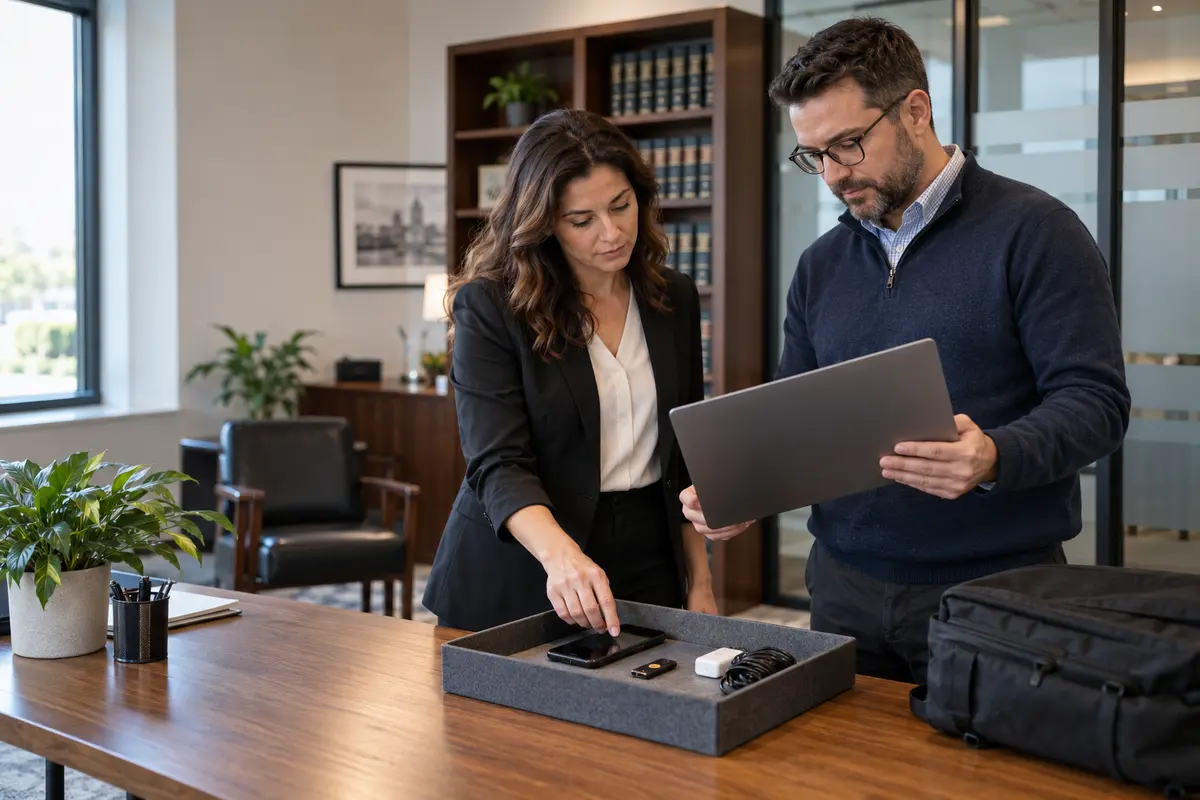
Match returned laptops, phones, tablets, security keys, smart cards, storage media, chargers and other equipment to the asset record. Note condition, return time and the person who accepted custody. If a device cannot be recovered, escalate it as an exception instead of marking the checklist complete.
For a managed device, confirm its last check-in, encryption status and relevant security alerts before deciding the next action. Remote lock or wipe only works when the platform, device state and enrollment support it; it may also destroy material the firm intended to preserve. Obtain the required authorization before a destructive action.
Do not immediately hand a returned computer to the next employee. Preserve or collect approved business data, review the device for unresolved security concerns, then use the firm's standard rebuild and enrollment process. A clean handover should not expose the next user to cached credentials, browser sessions, client files or personal data from the prior user.
Change shared secrets and hidden dependencies
Offboarding often exposes systems that were never designed around individual accountability. If the employee knew a shared password, decide whether it must be changed and which integrations or staff will be affected. Review service accounts, scanner-to-email credentials, website administration, domain registration, social media, accounting integrations, building access and vendor support portals.
Do not disable a service account merely because the departing employee created it. First identify what uses it, who owns it and how to rotate credentials without interrupting a required workflow. Replace person-dependent recovery email addresses and phone numbers with approved organizational contacts where the service supports that change.
Transfer active matters without broadening access
Ask the practice leader to identify the authorized successor for each active matter, deadline and client communication. IT can grant the approved access and test whether the successor can reach the required documents, calendars, contacts and applications. The legal team decides who may take over the work and whether clients, courts or other parties must be notified.
Verify access from the successor's account instead of assuming group membership is enough. Test a representative document, matter workspace, shared mailbox or calendar. Record files that live outside approved repositories, personal cloud services or local folders so the firm can decide how to handle them.
Where the firm uses a document or case-management platform, preserve matter ownership and audit history. Moving everything into a generic shared folder may make the files visible but can strip away useful context, permissions or workflow relationships.
Review logs and exceptions after the cutoff
After access changes, check the systems that provide relevant sign-in, sharing or administrative evidence. Look for successful access after the cutoff, unexpected forwarding, newly created shared links, unusual downloads or changes to privileged roles. The purpose is to confirm the offboarding actions and investigate specific exceptions, not to make unsupported conclusions from a single event.
Create a completion record with the actions performed, administrator, time, validation evidence, data owner and outstanding exceptions. Keep that record in the firm's approved administrative location. Do not place sensitive departure details in ordinary help desk notes that more staff can see than necessary.
Use a staged checklist
Before the departure time
- Confirm written authority, exact cutoff time and escalation contacts.
- Inventory accounts, roles, devices, shared secrets and active matters.
- Record preservation, legal-hold, mailbox and document-transfer instructions.
- Prepare replacement access for authorized colleagues without activating it early.
At the approved cutoff
- Block the primary identity and revoke supported sessions.
- Remove privileged, remote and application access.
- Recover equipment or record missing assets as incidents or exceptions.
- Validate that the departing user cannot complete a representative sign-in.
Within the first business day
- Confirm approved mailbox, calendar and matter handoffs.
- Review important logs, forwarding, sharing links and admin changes.
- Rotate authorized shared credentials and update recovery contacts.
- Test the successor's access to one representative active matter.
During follow-up
- Resolve missing devices, unknown accounts and incomplete transfers.
- Remove or reassign licenses after preservation and access decisions are complete.
- Delete accounts only after the firm approves timing and current platform behavior is confirmed.
- Close the checklist when named owners accept remaining exceptions.
Test the process before an urgent departure
Select a fictional departure and walk it through with the firm administrator, practice leader and IT provider. Assume the attorney works remotely, owns several matter workspaces, has a mobile phone enrolled for multifactor authentication and administers one client portal. Ask who can authorize the cutoff, where records go, how the successor receives access and what happens if the laptop is not returned.
The exercise should reveal unclear ownership without exposing real client information. Update the checklist, system inventory and emergency contact route. Then schedule a periodic review because applications, licenses and administrator roles change.
Frequently asked questions
Should a law firm delete a departing employee's account immediately?
Usually the firm should first block access and complete its authorized preservation and transfer steps. Deletion can affect mailbox, files, licensing and recovery options. The correct timing depends on the platform and the firm's legal, retention and operational decisions. Confirm current vendor documentation before deleting.
Is changing the Microsoft 365 password enough?
No. The process may also require blocking sign-in, revoking sessions, reviewing multifactor methods, mobile devices, delegated access, forwarding, application assignments and separate vendor accounts. Use the current administrative procedure for the tenant.
Who should receive a former attorney's email?
The firm's authorized leadership should decide how communications are handled. Options may include an approved successor, a shared mailbox or a supervised automatic reply, depending on the circumstances. IT implements the authorized configuration; it should not choose the recipient based solely on convenience.
What if the departing employee used a personal device?
Follow the firm's approved personal-device policy and the capabilities of the management platform. Determine what business data or access is present, what technical actions are authorized and what records must be preserved. Do not assume that a remote wipe is available or appropriate.
Can Genius Fixers help a law firm build this checklist?
Yes. Genius Fixers can help inventory supported accounts and devices, document onboarding and offboarding steps, administer agreed access changes and coordinate remote or scheduled on-site support across Virginia, Maryland and Washington, DC. The firm remains responsible for legal-hold, privilege, retention and client-notification decisions.
Make the next departure a controlled process
Genius Fixers can help your law firm connect employee offboarding with Microsoft 365 administration, device management, cybersecurity and business continuity. We define the technical scope around your authorized workflow and document the handoff.
Book a free phone or Zoom consultation
Explore managed IT support for law firms and employee onboarding and offboarding services, or call 703-419-9000.