A useful nonprofit IT budget begins with mission-critical work
Connect each technology cost to the programs, fundraising, finance or communications it supports. Inventory the people, devices, applications, vendors and data in that workflow, then fund the support, security and recovery responsibilities around it. There is no universal spending percentage that fits every organization.
Separate ongoing operations from replacements, improvements and response costs
Group the plan into run, replace, improve and respond. Assign owners and review years, verify current grant or discount terms, and test one realistic interruption before approval. Leadership can then see which outcomes are funded, which gaps are deferred and what decision is required.
A nonprofit technology budget should make the mission easier to deliver. It should also prevent predictable costs—an aging laptop, an expiring service, a failed backup or an urgent security response—from becoming surprise requests that compete with program spending.
There is no responsible universal percentage that every nonprofit should spend on IT. A five-person organization using cloud applications has different needs from a multi-site nonprofit with field staff, regulated information, public Wi-Fi or a seasonal volunteer workforce. The useful question is not How little can we spend? It is Which services must work, what could interrupt them and what will we fund before that happens?
Start with mission-critical work
List the activities that would materially affect programs, fundraising, finance or public trust if they stopped. Examples may include accepting donations, issuing acknowledgments, processing payroll, managing cases, scheduling volunteers, communicating with a board or operating a public website. For each workflow, identify the people, devices, applications, accounts, vendors and data involved.
This prevents the budget from becoming a shopping list. A donor-management platform may depend on staff laptops, email, multifactor authentication, internet access, a payment provider and an export or recovery process. Funding only the application license leaves the rest of that service path unplanned.
| Budget area | What to include | Planning evidence |
|---|---|---|
| People and support | Help desk, administration, vendor coordination, onboarding, offboarding and after-hours escalation | Ticket history, staff changes, service hours and named owners |
| Devices and infrastructure | Computers, mobile devices, warranties, network equipment, internet service, printing and power protection | Asset inventory, support dates, condition and replacement year |
| Cloud and applications | Email, collaboration, fundraising, finance, case-management, website and integration costs | User counts, renewal terms, data owners and exit requirements |
| Security and recovery | Identity protection, endpoint monitoring, training, backup, recovery tests, logging and incident support | Risk review, control owner, test results and unresolved gaps |
| Projects and contingency | Migrations, office changes, major upgrades, accessibility work and a bounded emergency reserve | Approved scope, dependencies, decision date and accountable sponsor |
Organize costs into four useful buckets
A clear budget separates recurring operations from replacements, improvements and contingencies. That distinction helps leadership see what keeps the current environment working and what changes it.
- Run: recurring licenses, connectivity, support, security monitoring, backup and routine administration.
- Replace: devices and infrastructure reaching a planned support, warranty, reliability or performance threshold.
- Improve: approved projects that reduce a documented risk, remove manual work or improve a program workflow.
- Respond: a defined reserve or decision process for incidents and urgent failures that cannot be scheduled.
Do not hide replacement needs inside an emergency line. Assign each asset a review year, even when the decision is to keep it. Likewise, do not treat every new product as an improvement; require an owner, expected outcome, implementation effort and review date.
Build the inventory before estimating renewals
Record devices, network equipment, cloud subscriptions, domains, website hosting, security tools, backup services and outside providers. Add the business owner, technical administrator, renewal date, user count and the location of recovery information. Include donated hardware and discounted software because those assets still require administration, security, support and eventual replacement.
Reconcile the inventory with finance records and identity systems. An invoice can reveal a subscription nobody owns; a user directory can reveal licenses assigned to former employees. Review annual and monthly charges together so the board does not see a misleadingly low monthly figure while large renewals remain outside the forecast.
Fund cybersecurity as an operating responsibility
The NIST Cybersecurity Framework 2.0 Small Business Quick Start Guide explicitly notes that its guidance can also assist relatively small organizations such as nonprofits and schools. It organizes outcomes around Govern, Identify, Protect, Detect, Respond and Recover. Those functions are a useful budget check: if an organization funds protection software but assigns no owner for response or recovery, the plan is incomplete.
The framework does not prescribe one product or spending level. Translate the organization's risk decisions into owned activities: account reviews, multifactor authentication, supported devices, patching, endpoint monitoring, email protection, staff exercises, incident contacts, logging and recovery tests. The CISA small and medium business resources also point organizations toward voluntary baseline cybersecurity practices that can help prioritize a limited budget.
Security spending should be tied to implementation and follow-through. A license that is not configured, monitored or reviewed does not provide the same outcome as an operating control. Link cybersecurity planning with account ownership, staff responsibilities and a documented escalation route.
Treat backup and recovery as separate decisions
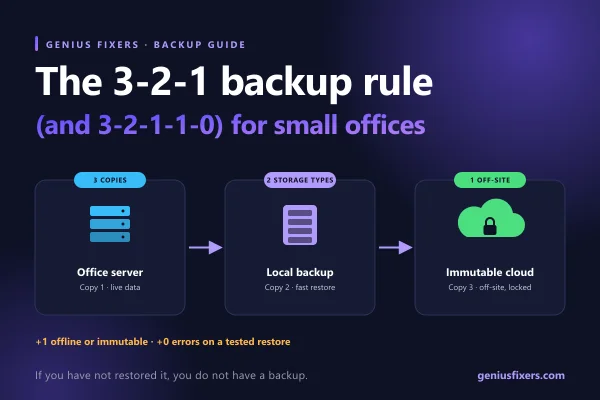
First identify where important information lives: cloud applications, Microsoft 365, staff devices, a file server, a donor platform, a finance system or a website database. Then determine whether the provider's native retention and recovery options meet the nonprofit's needs. Availability, version history, retention and an independent backup are not interchangeable terms.
Set a recovery point objective—the tolerable amount of recent work that could be lost—and a recovery time objective—the target time to restore a usable workflow. Budget for representative restore tests, not only storage. A successful test should confirm that the right people can obtain credentials, recover the correct material and validate that the program can use it.
Genius Fixers' backup and disaster recovery services can be scoped around the systems and recovery outcomes an organization actually needs rather than a generic storage quantity.
Include labor, ownership and staff change
Technology requires work even when it is cloud-hosted. Budget time for user support, administration, vendor coordination, documentation, device setup, access reviews and training. Decide what employees will own, what a managed provider will handle and what remains with a software vendor. Overlapping contracts do not guarantee that anyone owns the gap between them.
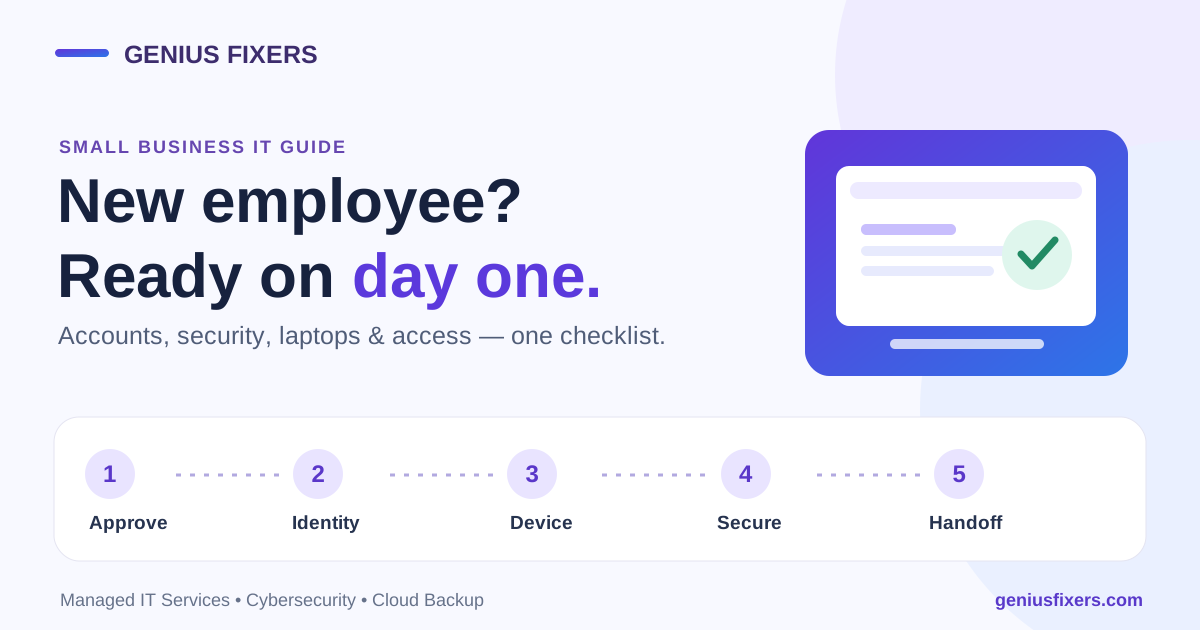
Plan for staff and volunteer turnover. Onboarding may require a managed device, license, role-based access and training. Offboarding may require access removal, equipment return, record transfer and mailbox handling. A repeatable process is less expensive and safer than reconstructing decisions after someone has left.
If internal capacity is limited, compare the required work with a clearly defined managed IT service or help desk scope. Compare responsibilities, coverage, exclusions and escalation—not only the monthly line item.
Use nonprofit discounts carefully
Eligible organizations may have access to technology grants or discounts. For example, Microsoft publishes nonprofit eligibility information and maintains current offering details. Eligibility, products, permitted users and renewal conditions can change, so verify the current program before building a dependency around it.
A discounted license is not a zero-cost service. The budget may still need implementation, migration, configuration, security, backup, training, integration and support. Record the standard renewal exposure and what the organization would do if an offer changes, usage grows or eligibility is not renewed.
Create a one-page decision view for leadership
Give the executive team or board a concise summary instead of a raw invoice list. For each material item, show the mission workflow supported, annual cost category, accountable owner, renewal or replacement date, principal risk and decision required. Mark assumptions separately from confirmed quotes.
Review the plan quarterly and after a major change such as a new program, office move, merger, incident, large grant, key staff departure or new data requirement. A budget created once and ignored until renewal season cannot respond to how the organization actually changed.
Test the plan with one realistic scenario
Choose a day when a donor acknowledgment, payroll file or program deadline matters. Assume the responsible employee's laptop is unavailable and the primary mailbox may be compromised. Ask who receives the report, who can disable access, where a replacement device comes from, how the latest approved file is recovered and what communication is appropriate.
The exercise will reveal whether the budget funded a complete outcome. It may uncover a missing spare device, an undocumented administrator, an untested backup or a vendor whose incident responsibilities were never agreed. Record the gap, owner, target date and funding decision.
Frequently asked questions
What percentage of a nonprofit budget should go to IT?
There is no universal percentage that responsibly fits every nonprofit. Build the amount from mission-critical workflows, user and device counts, application dependencies, risk decisions, support needs, lifecycle replacements and planned projects. Compare the result with financial capacity and explicitly document what will be deferred.
Should cyber insurance be part of the IT budget?
Insurance can be a separate finance or risk-management line, but the application and renewal process often depend on technical information. Coordinate with a qualified insurance adviser and budget the work needed to implement and maintain the controls the organization represents. Insurance does not replace cybersecurity or recovery planning.
How often should nonprofit computers be replaced?
Use support status, warranty, reliability, security capability, application requirements and staff needs rather than a blanket age alone. Assign a review year to every device, forecast likely replacements and confirm the decision during the annual inventory review.
Do grants and discounts eliminate technology costs?
No. They may reduce eligible licensing or product costs, but implementation, administration, security, backup, training, support and future changes still require resources. Verify current terms directly with the program provider.
Who should own the nonprofit IT budget?
An executive and finance leader should own the organizational decision, supported by a technical owner and the leaders responsible for important systems and data. Clear ownership matters more than job title: someone must approve risk, validate requirements and act when a service fails.
Turn the budget into an operating plan
Genius Fixers can help your nonprofit inventory its environment, identify support and recovery dependencies, and scope managed IT, cybersecurity and backup services around real workflows. Remote assistance and scheduled on-site work are defined for each organization.
Book a free phone or Zoom consultation
Prefer to speak now? Call 703-419-9000 or email info@geniusfixers.com.