Accounting-firm IT readiness begins with the client workflow
A useful technology review follows client information from intake through preparation, review, filing, delivery and retention. Identify the people, devices, applications, vendors and storage locations involved, then test the controls and recovery path that support the complete workflow. A product list alone does not show whether the firm can protect information or continue work.
Test one busy-season interruption before volume increases
Choose a realistic scenario such as an isolated preparer laptop, unavailable client portal, suspected mailbox compromise or failed application server. Confirm who receives the report, who can interrupt access, which deadlines are affected and how a representative file or service would be recovered. Assign owners and dates to gaps found during the exercise.
Accounting firms depend on technology most when there is the least room for interruption. During a busy filing, payroll or reporting period, staff may be handling client documents, tax identifiers, financial statements, bank details and deadlines across email, portals, workstations and specialized applications.
A pre-season IT review should do more than confirm that computers turn on. It should show who can reach sensitive information, whether devices and software are maintained, how the firm would restore lost work and who makes decisions during a security event. The goal is a documented, testable operating plan—not a promise that one product makes the firm compliant or immune to disruption.
Begin with the work, not the product list
Map the tasks that must continue during the firm's busiest period. Follow a representative client file from intake through preparation, review, approval, filing, billing and retention. Record the people, devices, applications, vendors and storage locations involved at each stage.
| Workflow | Technology to identify | Readiness question |
|---|---|---|
| Client document intake | Portal, email, scanner, shared folder and identity provider | Can staff receive the file through an approved path without creating uncontrolled copies? |
| Preparation and review | Tax or accounting application, workstation, file store and specialist vendor | Can an authorized reviewer reach the correct version and see who changed it? |
| Electronic filing or delivery | Filing service, credentials, internet connection and approval record | Who is authorized to submit, and what is the fallback if the primary device or connection fails? |
| Backup and recovery | Cloud service, application database, file server, Microsoft 365 and recovery credentials | Has the firm restored a representative file, mailbox or application dataset and validated the result? |
This exercise exposes hidden dependencies. A file may appear to be in one accounting application while supporting documents live in a separate portal, mailbox or local download folder. A useful recovery plan must account for the complete workflow.
Connect the technology review to the firm's written security plan
The IRS states that tax professionals must have a Written Information Security Plan, commonly called a WISP, to protect client data. On July 29, 2025, the IRS and its Security Summit partners highlighted IRS Publication 5708, a template intended to help tax and accounting practices build that plan. The IRS also points firms to Publication 4557, Safeguarding Taxpayer Data.
A template is a starting point, not proof that the plan matches the business. The firm's responsible leaders should confirm applicable legal, regulatory, insurance and professional obligations with qualified advisers. IT work can help implement and document technical safeguards, but it does not certify compliance.
The Federal Trade Commission explains that its Safeguards Rule requires covered financial institutions to develop, implement and maintain an information security program with administrative, technical and physical safeguards. The exact applicability and required measures should be reviewed for the practice rather than inferred from a generic checklist.
1. Assign owners and inventory the environment
Every important system should have a business owner and a technical owner. The business owner decides who needs access and how long information must be kept. The technical owner maintains the service, coordinates changes and records recovery information.
Build an inventory that includes workstations, servers, mobile devices, network equipment, cloud services, tax and accounting software, Microsoft 365, remote-access tools, backup systems and service providers. Record supported versions, administrative accounts, renewal dates and the vendor contact path. Include temporary laptops and seasonal staff devices; they often appear when the firm is under the most pressure.
2. Review identity, access and staff changes
Start with a current user list and compare it with active employees, contractors and vendors. Remove stale accounts, shared logins and privileges that no longer match a person's job. Separate everyday work from administrative access where the systems support it.
Use multifactor authentication where appropriate, especially for email, remote access, cloud storage, administrative portals and financial applications. Confirm the enrollment and recovery process instead of assuming the setting is effective because a license exists. A lost phone or unavailable partner should not force the firm to bypass its own controls.
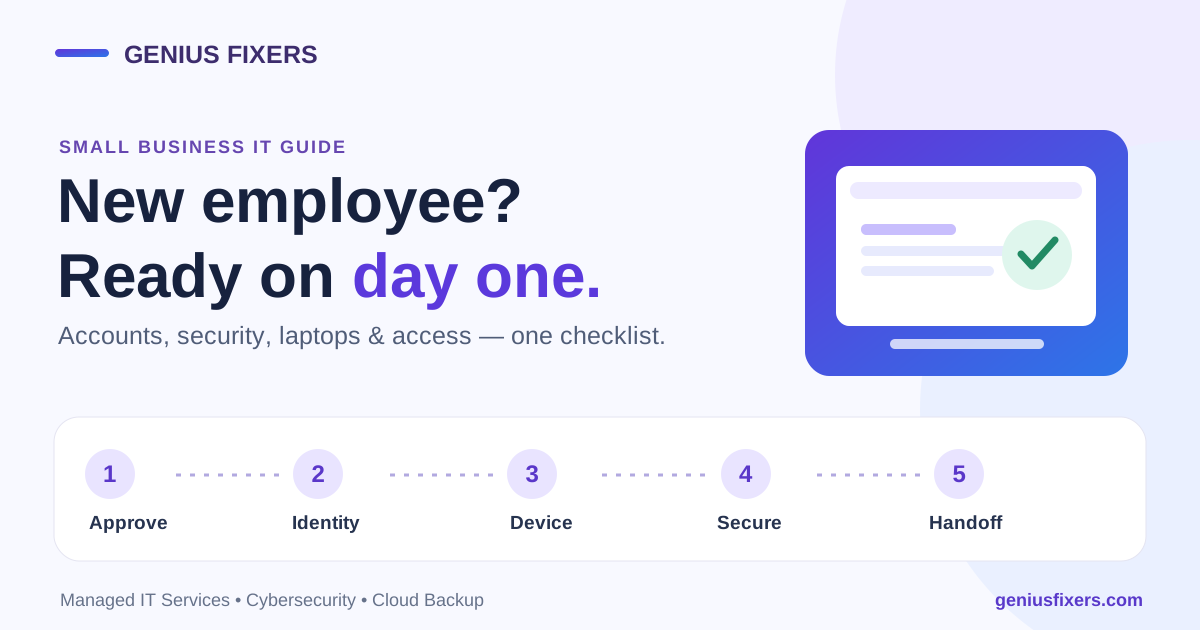
Create a repeatable onboarding and offboarding checklist. New staff should receive only approved access, devices and training. Departing staff should lose access promptly, return equipment and transfer business records without sharing passwords.
3. Prepare workstations and servers for peak workload
Review operating-system and application support status, pending security updates, available storage, disk health and endpoint protection. Schedule disruptive maintenance before critical deadlines and keep a change record. A rushed upgrade during the busiest week can be as damaging as a delayed security update.
Endpoint detection and response can help identify and contain suspicious activity, but alert ownership matters. Define who reviews alerts, when they escalate and who may isolate a device or interrupt an accounting application. Combine endpoint monitoring with managed workstation and server support so maintenance, user issues and security signals are not treated as unrelated work.
4. Control email, file sharing and client transfer
Phishing and account takeover can turn a legitimate mailbox into a convincing request for documents or payment. Train staff to verify unusual sharing, banking and credential requests through an independent contact method. Make the reporting route simple enough to use during a busy day.
Decide which approved portal or file-sharing location staff should use for sensitive client documents. Review external sharing, guest accounts, public links and locally synchronized copies. If Microsoft 365 is part of the workflow, examine mailbox rules, forwarding, SharePoint and OneDrive permissions, retention settings and privileged roles together; each can affect where information travels.
Invoice and payment-change requests are a common target. Follow the payment-change callback rule for invoice fraud before any client or vendor bank detail is updated.
5. Test backup and recovery before the deadline
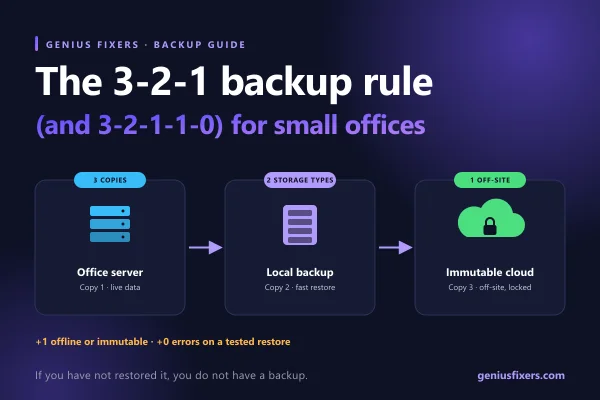
A backup dashboard showing success is not the same as a successful recovery. Select representative data from the systems the firm actually uses: a client folder, mailbox, SharePoint site, accounting database or application configuration. Restore it to a controlled location when appropriate and have the business owner validate that the recovered material is complete and usable.
Document the recovery point and recovery time the firm needs for each workflow. Keep recovery credentials and instructions protected but available if the primary environment is unavailable. Review whether ransomware, accidental deletion, a cloud account compromise or a failed server could affect both production data and the recovery path.
A backup and disaster recovery plan should also identify dependencies such as software licensing, vendor assistance, network configuration and clean replacement equipment.
6. Review vendors and remote access
List every provider that can reach client data or the systems processing it. Confirm the purpose, account, access method, responsible contact and termination procedure. Old remote-support tools and vendor accounts should not remain available simply because no one remembers who installed them.
Service agreements should make responsibilities understandable. Determine who maintains the application, who secures the workstation and network, who monitors alerts, who backs up the data and who coordinates an incident. The FTC notes that covered companies should oversee service providers; the firm's advisers should determine the contractual and regulatory details that apply.
7. Make logs and alerts actionable
Useful logs help answer who accessed a system, from where, what changed and when. Identify the events that matter for email, identity, endpoints, servers, firewalls, cloud services and line-of-business applications. Confirm timestamps and retention, then test whether the designated person can retrieve the information.
Collecting more data is not the goal by itself. Start with questions such as: Was an administrator account used unexpectedly? Did a mailbox create a forwarding rule? Did the same sign-in appear from an unusual location? Did a large number of files change? Connect each question to a review and escalation process through the firm's cybersecurity program.
8. Prepare the incident contact path
Keep an incident contact list outside the systems that could become unavailable. It may include firm leadership, IT support, application vendors, cyber-insurance contacts, legal or compliance advisers, banking contacts and law enforcement or government reporting resources when appropriate.
The IRS Protect Your Clients; Protect Yourself page, updated February 24, 2026, directs tax professionals to current data-security and incident resources. Reporting duties and timelines depend on the facts and applicable rules, so the playbook should tell staff whom to contact rather than asking them to interpret obligations during an incident.
Run a short readiness exercise
Choose one realistic scenario before peak season: a preparer's laptop is isolated after a security alert, a partner cannot access the client portal, an email account is suspected of compromise or an application server fails. Walk through the response without changing production systems.
- Identify the first contact. Confirm how staff report the issue and what information they should capture.
- Decide who has authority. Name the person who can isolate a device, disable an account, contact a client or approve recovery work.
- Trace the business impact. Identify deadlines, files and people affected by the interruption.
- Recover a representative item. Verify the documented recovery path and measure the time required.
- Record the gaps. Assign an owner and target date to each improvement rather than leaving the exercise as a discussion.
The result should be a short list of corrective work the firm can finish before volume increases.
Build an accounting-firm IT readiness plan with Genius Fixers
Genius Fixers helps accounting and professional-services firms coordinate managed IT support, workstation and server management, Microsoft 365, cybersecurity monitoring, managed firewalls, EDR/MDR support, cloud backup and disaster recovery. Based in Manassas, Virginia, Genius Fixers provides remote assistance and scheduled on-site support for businesses in Virginia, Maryland and Washington, DC.
Book a free phone or Zoom consultation to discuss your users, applications, client-data workflows, backup coverage and incident-response responsibilities.
Call 703-419-9000 or email info@geniusfixers.com.
Frequently asked questions
What is a WISP for a tax or accounting practice?
A Written Information Security Plan describes how the practice identifies risks and uses administrative, technical and physical safeguards to protect information. IRS Publication 5708 provides a starting template, but the practice should tailor the plan to its systems, size and applicable requirements.
Does enabling multifactor authentication make an accounting firm compliant?
No. Multifactor authentication can reduce some account risks, but compliance and security involve governance, people, access, devices, vendors, recovery and incident procedures. Qualified advisers should confirm the firm's obligations.
Should staff email tax documents to clients?
The firm should define an approved transfer method appropriate to the sensitivity of the information and its requirements. A managed client portal or controlled file-sharing workflow may provide better access control and tracking than ordinary attachments, but the exact solution depends on the practice.
How often should an accounting firm test backups?
Testing frequency should reflect the importance and rate of change of the data. Schedule representative restore tests before peak periods, after major system changes and often enough to detect a failed assumption before an urgent recovery.
Can Genius Fixers certify IRS or FTC compliance?
No. Genius Fixers can help assess and implement technical controls, documentation, monitoring and recovery work within an agreed scope. Legal, regulatory, insurance and professional compliance decisions remain with the firm and its qualified advisers.