Quick answer: PoE IP cameras, planned storage, mics off and no covered brands
Plan a business camera system: PoE IP vs analog, cable limits, storage math, audio-recording laws in VA, MD and DC, and the FCC rules on banned brands.
Plan cable runs, PoE budget and retention before you buy a recorder
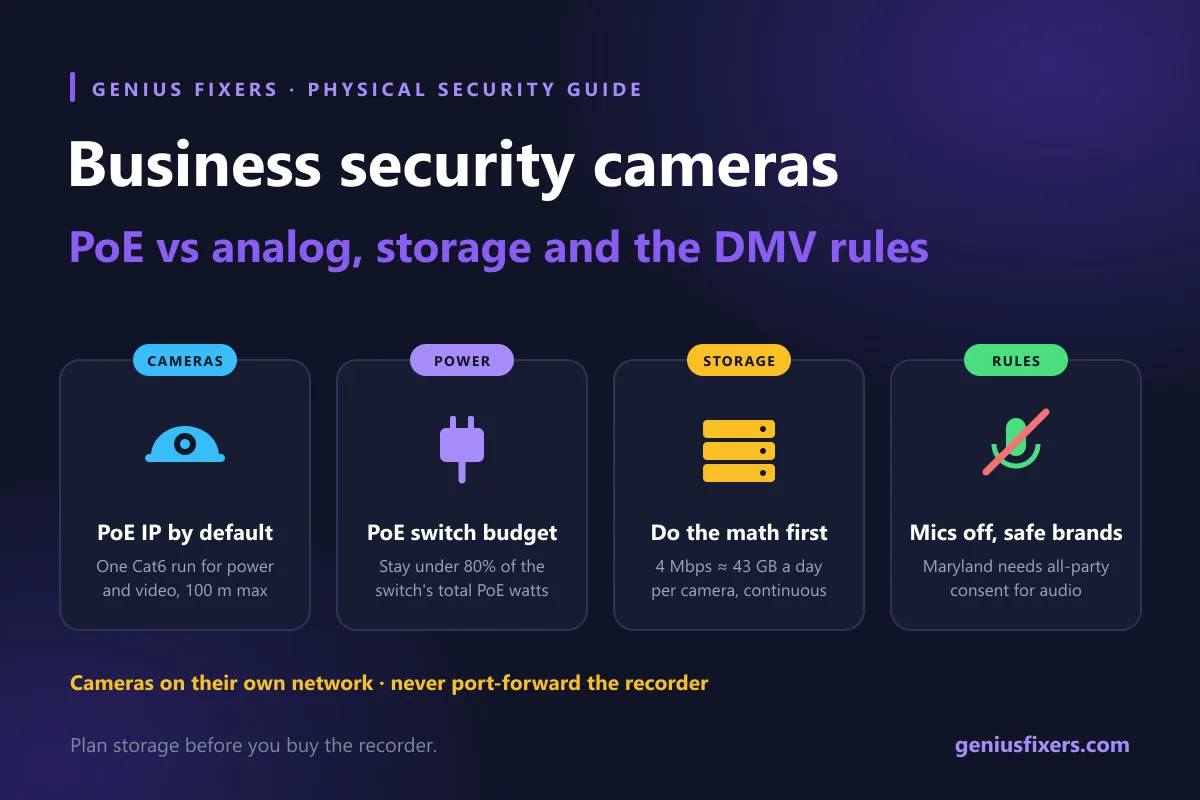
Security camera installation for business today means PoE IP cameras in most offices: one Ethernet cable carries video and power to each camera, up to 100 meters per run, with recordings on a network video recorder (NVR). Plan storage before you buy, keep cameras on their own network, turn audio off in Maryland, and skip brands on the FCC Covered List.
PoE IP vs analog: which system to install
Analog (often called HD-over-coax) systems run coax to each camera and record on a DVR. IP systems run Ethernet, power each camera through Power over Ethernet (PoE) and record on an NVR or in the cloud. For a new build or a full replacement, IP is the default, and it is what we specify on almost every business security camera installation we scope. Analog still makes sense in one case: the coax is already in the walls and the budget only covers new cameras and a recorder.
| Factor | PoE IP cameras | Analog (HD-over-coax) |
|---|---|---|
| Cable | One Cat6 run per camera carries power and data | Coax for video plus separate power, or a combined siamese cable |
| Distance per run | 100 m channel (90 m horizontal cable) under ANSI/TIA-568 | Longer coax runs are possible |
| Recorder | NVR, server or cloud | DVR |
| Resolution and analytics | Higher resolutions, on-camera person and vehicle detection on many models | Limited by the format; fewer smart features |
| Network exposure | Each camera is a network device that needs patching and isolation | Cameras are not on the network; only the DVR is |
| Best fit | New installs, remodels, multi-site offices | Reusing existing coax on a tight budget |
Because IP cameras sit on your network, the cabling decides how well the system works. A clean structured cabling plan, with every camera run labeled and terminated on a patch panel, makes later troubleshooting a five-minute job instead of a ladder hunt.
Power budget: match the PoE switch to the cameras
Each PoE standard sets how much power a switch port can deliver. Fixed dome and bullet cameras usually fit within the lowest class. PTZ cameras, cameras with heaters for outdoor winters, and models with built-in IR floodlights need more. Add up the rated draw of every camera and keep it under about 80% of the switch's total PoE budget so a cold snap does not trip ports.
| Standard | Type | Power at switch port | Power at camera |
|---|---|---|---|
| IEEE 802.3af (PoE) | Type 1 | 15.4 W | 12.95 W |
| IEEE 802.3at (PoE+) | Type 2 | 30 W | 25.5 W |
| IEEE 802.3bt (4-pair PoE) | Type 3 | 60 W | 51 W |
| IEEE 802.3bt (high-power PoE) | Type 4 | 90 W | 71.3 W |
Distance matters as much as watts. ANSI/TIA-568 caps the horizontal cable at 90 meters and the full channel, patch cords included, at 100 meters (about 328 feet). A parking-lot pole 150 meters from the closet needs fiber to an outdoor switch, a PoE extender, or a second closet. Put the switch and NVR in a ventilated rack with a UPS; our server rack and patch panel setup service builds exactly that.
Storage math: how many days of video you can keep
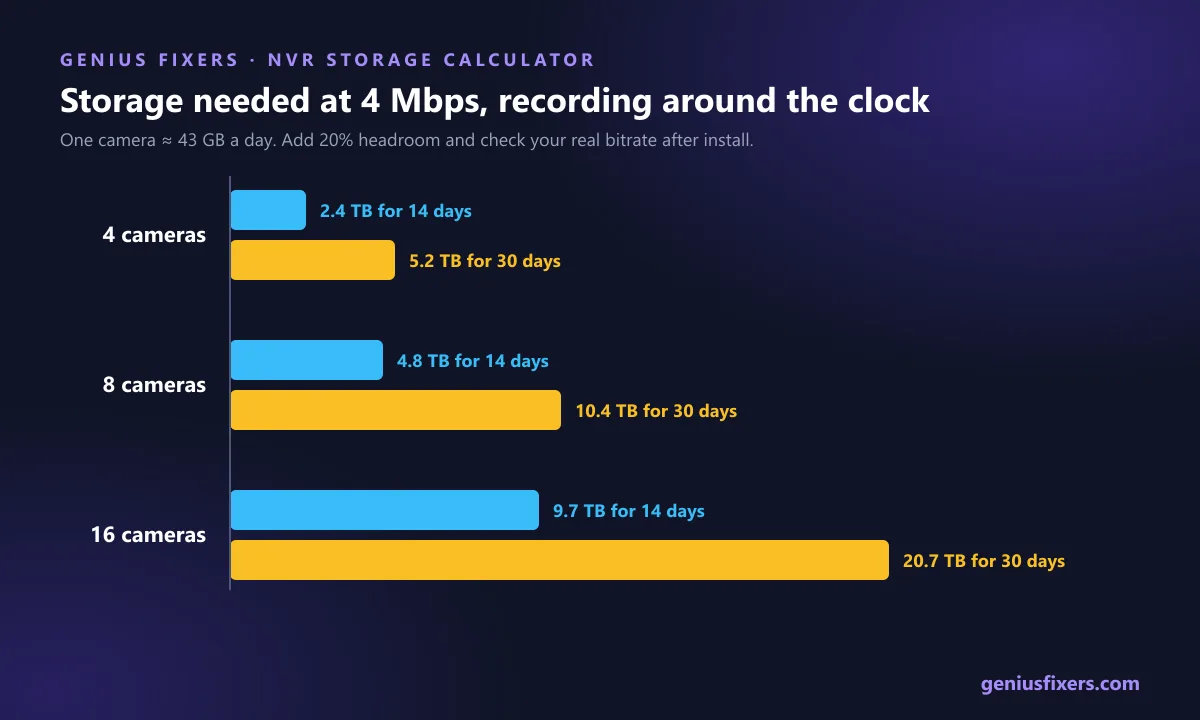
Most buyers pick an NVR by channel count and find out later it only holds a week. Do the math first. A camera recording continuously at 4 Mbps writes 4 × 86,400 seconds = 345,600 megabits a day, which is about 43 GB per day.
| Cameras | Per day | 14 days | 30 days |
|---|---|---|---|
| 4 | 173 GB | 2.4 TB | 5.2 TB |
| 8 | 346 GB | 4.8 TB | 10.4 TB |
| 16 | 691 GB | 9.7 TB | 20.7 TB |
- Check your real bitrate. Resolution, frame rate and codec change it. Read the bitrate in the camera's web interface after install and redo the math.
- Motion-only recording cuts storage sharply in quiet areas such as stock rooms, but keep entrances and registers on continuous recording.
- Set retention to match your risk. Many incidents surface days later, such as a slip-and-fall claim or a missing delivery, so a 7-day loop is often too short. Write the retention period down and set the NVR to it.
- Use surveillance-rated drives. They are built for constant writes. Size them with 20% headroom.
Audio, privacy and placement rules in Virginia, Maryland and DC
Video in public-facing business areas is generally allowed. Audio is where businesses in the DMV get into trouble, because the three jurisdictions follow different rules.
| Jurisdiction | Consent rule | Statute |
|---|---|---|
| Virginia | One party to the conversation must consent | Va. Code §§ 19.2-61, 19.2-62 |
| Washington, DC | One party to the conversation must consent | D.C. Code § 23-542 |
| Maryland | All parties must consent to recording a private conversation; a violation is a felony | Md. Code, Cts. & Jud. Proc. § 10-402 |
A ceiling camera that picks up a conversation between two employees is not a party to it, so neither one has consented. The simplest policy for any office in the DMV, and the safe one in Maryland, is to switch microphones off on every camera unless a lawyer has approved a specific use. Never place cameras in restrooms, changing areas or anywhere people undress; Virginia (§ 18.2-386.1) and Maryland (Crim. Law §§ 3-901 and 3-902) both have criminal statutes on this. Post visible signs at entrances. This is general information, not legal advice.
Which brands to avoid: the FCC Covered List
Since March 12, 2021, video surveillance and telecommunications equipment produced by Hikvision, Dahua and Hytera has been on the FCC Covered List for uses such as public safety, government facility security and critical infrastructure. In November 2022 the FCC voted to stop granting new equipment authorizations for covered gear. A further FCC rule, effective December 26, 2025, extended the ban to covered modular transmitters and created a process to limit earlier authorizations. Under that process, since July 16, 2026, previously authorized Hikvision, Dahua and Hytera equipment can no longer be imported or marketed for those covered uses. Existing owners can keep using what they already have.
Lock the system down like any other network device
CISA's guidance for internet-connected cameras starts with three steps: change default passwords, keep firmware updated, and disable remote access you do not use. In an office we add three more.
- Put cameras and the NVR on their own VLAN so a compromised camera cannot reach your file server or point-of-sale system.
- Never port-forward the NVR to the internet. Use the vendor's cloud relay or a VPN for phone viewing, and require MFA on the viewing account.
- Give each viewer a named account. Shared admin logins make it impossible to tell who exported footage.
- Monitor it. An offline camera you notice a month later is a month of missing footage. Our network monitoring and management alerts on dead cameras and full disks.
- Patch on a schedule. Add camera and NVR firmware to the same monthly routine as PCs. Our small business cybersecurity checklist covers the rest.
What a professional installation includes
A proper job runs in this order: site walk to mark coverage zones and mounting points, cable plan and PoE budget, pulling and certifying Cat6, mounting and aiming cameras, NVR and VLAN setup, retention and user accounts, then a handover with a live test of exporting a clip. Ask for a camera map and a labeled patch panel at the end. Retail stores and jobsites have extra needs; see our pages on retail and ecommerce IT and construction jobsite device security.
Genius Fixers designs, installs and supports camera systems for businesses across Northern Virginia, Maryland and Washington, DC from our office in Manassas. On-site visits are $65 within 50 miles of Manassas, and ongoing monitoring can sit inside a managed IT plan; see our pricing.
Planning cameras for a new office or replacing an old DVR system? Book a free 10-minute call and we will help you scope cameras, cabling and storage before you buy anything.
Frequently asked questions
What does security camera installation for business include?
A site survey, a cable and power plan, running Cat6 to each camera, mounting and aiming the cameras, setting up the NVR, network isolation and user accounts, and a handover where you test exporting footage.
Are PoE IP cameras better than analog cameras for a business?
For new installs, yes. PoE IP cameras get power and data over one Ethernet cable and support higher resolutions and smarter detection. Analog only makes sense when you are reusing existing coax on a tight budget.
How far can a PoE camera be from the switch?
Up to 100 meters (about 328 feet) for the full channel under ANSI/TIA-568, with no more than 90 meters of horizontal cable. Longer runs need fiber, a PoE extender or a closer switch.
How much storage do business security cameras need?
A camera recording continuously at 4 Mbps uses about 43 GB a day, so eight cameras need about 10.4 TB for 30 days. Check your cameras' actual bitrate and add 20% headroom.
Is it legal to record audio on business security cameras in Maryland?
Maryland requires all parties to consent before a private conversation is recorded, and a violation is a felony. Most Maryland businesses should keep camera microphones turned off.
Can I still use Hikvision or Dahua cameras?
The FCC rules stop new authorizations and, since July 16, 2026, block continued import and marketing of previously authorized covered equipment for the covered uses, but they do not prohibit continued use of devices you already own. Do not buy new covered-brand gear.
Should business cameras be on a separate network?
Yes. Put cameras and the NVR on their own VLAN, avoid port forwarding, and use MFA for remote viewing so a weak camera cannot be used to reach the rest of your network.
Sources
- FCC: List of Equipment and Services Covered by Section 2 of the Secure Networks Act (Covered List)
- Federal Register: FCC rule on covered equipment authorizations (effective Dec. 26, 2025)
- Federal Register: FCC order limiting previously authorized covered equipment (effective July 16, 2026)
- CISA: Advisory on securing internet-connected cameras
- Fluke Networks: Permanent link length limit under TIA-568 (90 m)
- Mayflex: Maximum Ethernet channel length (100 m)
- Arecont Vision: Power over Ethernet standards
- RCFP Reporter's Recording Guide: Virginia
- RCFP Reporter's Recording Guide: Maryland
- RCFP Reporter's Recording Guide: District of Columbia
Last reviewed October 26, 2026 by the Genius Fixers IT Team, Manassas, VA.