Quick answer: account, laptop, sign-in and access record ready before day one
A 10-day employee onboarding IT checklist for VA, MD and DC offices: role access templates, passwordless first sign-in, Autopilot laptops and an access ledger.
Start 10 business days ahead and log every grant
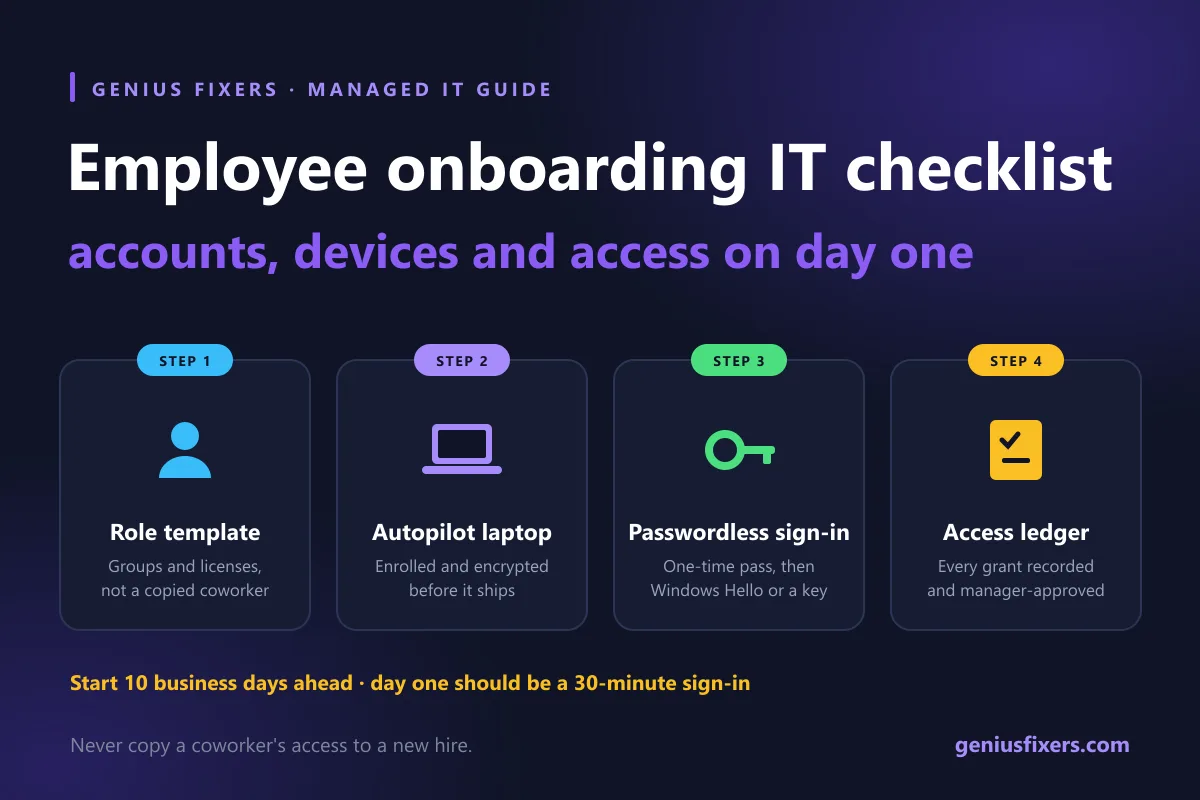
An employee onboarding IT checklist covers four things before the new hire's first morning: an account built from a role template, a laptop enrolled in device management, a phishing-resistant sign-in method, and a written record of every access you granted. Start 10 business days ahead. Day one should be a 30-minute sign-in, not a day of setup.
Why most new-hire IT setups go wrong
The typical small-office pattern: HR sends a name on Friday, someone copies another employee's permissions on Monday morning, and the new hire waits until lunch for a laptop. Copying a coworker's access is the real problem. It hands the new person every shared folder, mailbox and app that coworker collected over the years, and nobody writes it down.
Most published checklists list tasks but skip three things: which sign-in method to use, how to get a laptop ready without touching it, and how to record access so offboarding is quick later. This guide covers all three. Our employee onboarding and offboarding service runs this same process for offices across Virginia, Maryland and DC.
The 10-day employee onboarding IT checklist
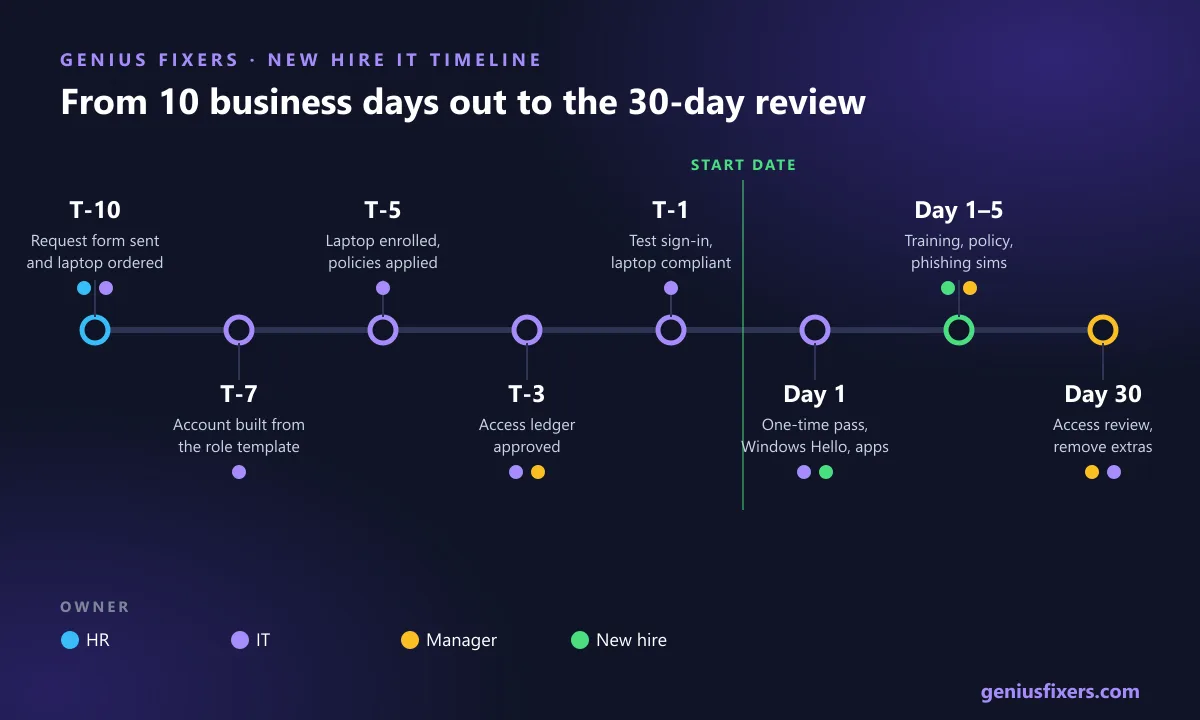
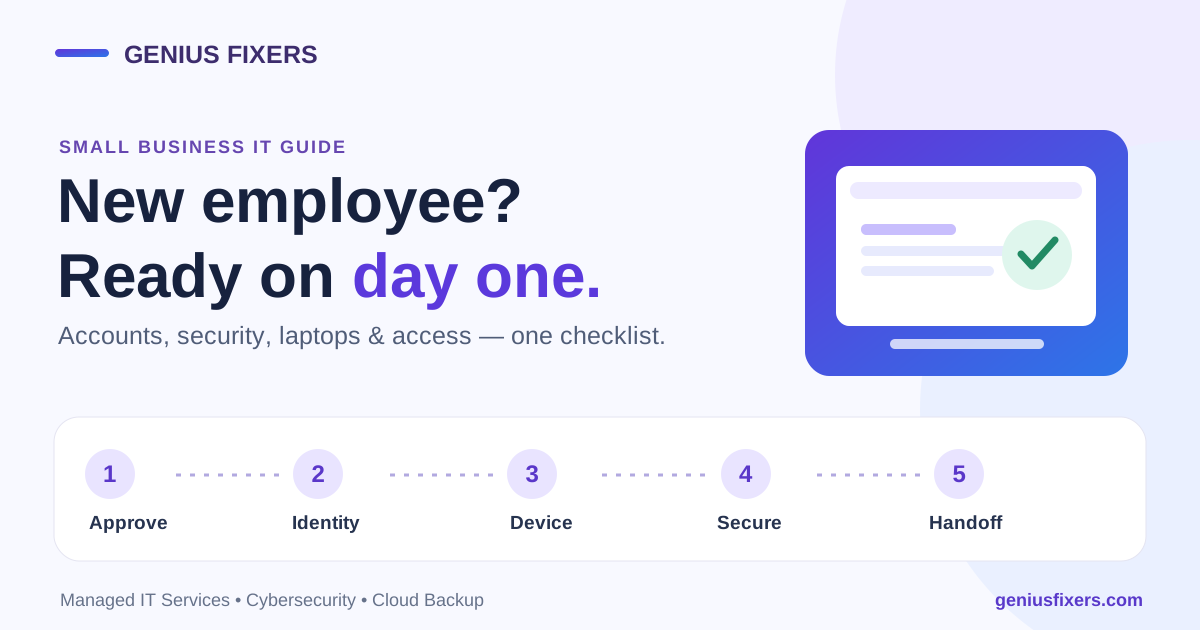
Count back from the start date. Each step has an owner so nothing waits on "someone."
| When | Task | Owner |
|---|---|---|
| T-10 | HR sends name, title, manager, start date, work location and role template name on one form | HR / hiring manager |
| T-10 | Confirm a laptop is in stock or order one now, so shipping delays don't push setup past the start date. | IT |
| T-7 | Create the account from the role template. Assign licenses. Add security groups, not individual folder grants. | IT |
| T-5 | Register the laptop for automatic enrollment, assign it to the user, and apply encryption, EDR and patch policies | IT |
| T-3 | Build the access ledger entry (see below). Manager approves it in writing. | IT + manager |
| T-1 | Test sign-in with a test account on the same role template. Confirm the laptop shows as compliant. | IT |
| Day 1 | Issue a one-time Temporary Access Pass, register passkey or Windows Hello, confirm email, Teams, files and line-of-business apps | IT with the new hire |
| Day 1–5 | Security awareness training, acceptable use policy signature, phishing simulation enrollment | New hire + manager |
| Day 30 | Access review: remove anything granted "just for now" that the role template doesn't include | Manager + IT |
Step 1: Build role templates instead of copying a coworker
A role template is a short, named list of what a job needs: licenses, groups, shared mailboxes and apps. You build it once and reuse it for every hire in that role. In Microsoft 365, that means security groups that own the SharePoint sites and Teams, so adding someone to one group grants exactly the right files. Our guide to configuring SharePoint permissions shows how to set those groups up.
| Role | Licenses | Groups and shared resources | Admin rights |
|---|---|---|---|
| Front desk | Microsoft 365 Business Premium | Reception mailbox, scheduling app, Front Office Teams | None |
| Staff accountant | Business Premium + accounting software seat | Clients-Active site, Finance Teams, scan-to-folder | None |
| Office manager | Business Premium | HR site (restricted), Vendors site, all-staff list owner | None. Separate admin account only if needed. |
| Partner / owner | Business Premium | All client sites, Leadership Teams | None on daily account. Admin work uses a separate account. |
Step 2: Get the laptop ready without opening the box
Windows Autopilot turns a new Windows PC into a business-ready device without reimaging. The new hire connects to Wi-Fi, signs in, and Microsoft Intune installs apps and applies policies. Microsoft states that Autopilot needs Microsoft Entra ID P1 or P2 plus an MDM service such as Intune. Microsoft 365 Business Premium meets that requirement, but you still have to assign an Intune license to each user.
- Register the hardware hash with your reseller at purchase, so the PC is tied to your tenant before it ships. Our IT procurement service handles this when we order.
- Set required apps per role template: Microsoft 365 Apps, your EDR agent, a PDF tool, and the line-of-business app.
- Apply compliance policies for BitLocker encryption, a minimum OS version and an active firewall. Block sign-in to company data from devices that fail.
- Mac shops: the same idea applies through Apple Business Manager and an MDM. See our comparison of Microsoft Intune vs Jamf.
Step 3: Use a passwordless first sign-in
Texting a temporary password to a personal phone is the weak point in most IT onboarding processes. Microsoft Entra ID offers a better option: the Temporary Access Pass (TAP), a time-limited passcode the new hire uses once to register a strong sign-in method. Microsoft's defaults are a 1-hour lifetime with a configurable range of 10 minutes to 30 days. You can force one-time use. With a one-time TAP, registering a FIDO2 security key or phone sign-in must be finished within 10 minutes of signing in. If Windows setup runs longer than that, issue a second one-time TAP to finish Windows Hello.
- Enable TAP in the Authentication methods policy and scope it to a "New hires" group.
- On day one, generate a one-time TAP with a 1–8 hour lifetime and give it to the new hire in person or by phone, never by email.
- During Windows setup on an Entra-joined laptop, the new hire signs in with the TAP and registers Windows Hello for Business.
- They then register a passkey in Microsoft Authenticator or a FIDO2 security key at the Security info page.
- Remove the user from the "New hires" group at the end of week one.
Why bother? CISA states that "the only widely available phishing-resistant authentication is FIDO/WebAuthn authentication." If an app can't support it yet, CISA recommends number matching in your authenticator app as the fallback. Our MFA management service configures these policies and handles lost-device recovery.
Step 4: Keep an access ledger and plan the offboarding now
This is the step almost every checklist skips. For each new hire, keep one record of everything granted: role template, licenses, groups, shared mailboxes, apps outside Microsoft 365 (payroll, banking portal, practice management, vendor sites), physical keys and badges, and the device serial number. The manager signs off on it.
When that person leaves, the ledger becomes the offboarding list. You can see what needs to be removed, and nothing gets missed because it was granted outside the template. Our law firm offboarding checklist shows the reverse process in detail.
What compliance rules expect from new-hire IT setup
| Rule | What it says | Onboarding step that covers it |
|---|---|---|
| FTC Safeguards Rule, 16 CFR 314.4(c)(1)(ii) | Limit authorized users' access to the customer information they need for their duties | Role templates and the 30-day access review |
| FTC Safeguards Rule, 16 CFR 314.4(c)(5) | Implement multi-factor authentication for any individual accessing any information system | TAP plus passkey or Windows Hello on day one |
| FTC Safeguards Rule, 16 CFR 314.4(e)(1) | Provide security awareness training | Training in week one |
| HIPAA, 45 CFR 164.308(a)(4) | Policies for granting access to ePHI and to establish, document, review and modify a user's access | Manager-approved access ledger |
| HIPAA, 45 CFR 164.308(a)(5) | Security awareness and training program for all workforce members, including management | Training and phishing simulation enrollment |
CPA firms, tax preparers and advisors fall under the Safeguards Rule. See how we support financial services firms. Medical and dental practices follow the HIPAA Security Rule. See our healthcare IT support. For the training piece, our phishing prevention training enrolls new hires automatically.
Day-one IT checklist for the new hire's first hour
- Power on the laptop, join Wi-Fi, sign in with the TAP and set up Windows Hello.
- Register a passkey or authenticator app, then test sign-in again from a phone.
- Open Outlook, Teams and OneDrive. Confirm shared mailboxes and the right SharePoint sites appear.
- Open each line-of-business app on the role template.
- Print a test page, scan a test page, and confirm the phone or softphone works.
- Show the new hire how to open a support ticket and who to call.
- Record the device serial number and asset tag in the access ledger.
How Genius Fixers handles onboarding in Virginia, Maryland and DC
Onboarding and offboarding are included in our Core IT plan, which starts at $125 per workstation per month and also covers Microsoft 365 administration, MFA setup, managed EDR and procurement help. Complete IT starts at $150 and adds phishing training and an annual risk assessment. See managed IT pricing. When a new hire needs hands-on help, on-site visits are $65 within 50 miles of our Manassas office.
Hiring in the next few weeks? Book a free 10-minute call and we'll help you build role templates and a day-one plan before the start date.
Frequently asked questions
What should be on an IT onboarding checklist?
At minimum: a user account built from a role template, licenses, group memberships, a managed and encrypted laptop, a strong MFA method, security training, and a written record of all access granted. That record becomes the offboarding checklist later.
How far in advance should IT onboarding start?
Start 10 business days before the start date. That leaves time to order or prepare hardware, build the account, enroll the laptop and test sign-in before day one.
Should we copy an existing employee's permissions for a new hire?
No. Copying a coworker's account carries over years of extra access that nobody documented. Use a role template built from security groups instead, and review it after 30 days.
What is a Temporary Access Pass in Microsoft 365?
A Temporary Access Pass is a time-limited passcode in Microsoft Entra ID that lets a new user sign in once and register a passwordless method such as Windows Hello or a passkey. Its default lifetime is 1 hour and it can be set to one-time use.
Do I need Microsoft 365 Business Premium for Windows Autopilot?
Microsoft 365 Business Premium is one of the subscriptions that meets Autopilot's Entra ID P1 and Intune requirements. You still need to assign an Intune license to each user.
What kind of MFA should new employees use?
Use phishing-resistant MFA such as FIDO2 security keys, passkeys or Windows Hello for Business. CISA says FIDO/WebAuthn is the only widely available phishing-resistant option and recommends number matching where it isn't possible yet.
Is IT onboarding required for HIPAA or the FTC Safeguards Rule?
Both rules require controlled access and security training. HIPAA requires procedures to grant and document workforce access to ePHI, and the FTC Safeguards Rule requires least-necessary access, MFA for anyone accessing an information system, and security awareness training.
Sources
- Microsoft Learn: Configure Temporary Access Pass to register passwordless authentication methods
- Microsoft Learn: Overview of Windows Autopilot
- Microsoft Learn: Windows Autopilot requirements (licensing)
- CISA: More than a Password (multifactor authentication)
- 16 CFR 314.4: FTC Safeguards Rule elements (Cornell LII)
- 45 CFR 164.308: HIPAA administrative safeguards (Cornell LII)
Last reviewed October 20, 2026 by the Genius Fixers IT Team, Manassas, VA.